 Log in with PayPal

Electronics For Less Canada Help Desk
Search for help with orders, shipping, tracking, returns, and warranty. Need help with a specific order? Reply to your order confirmation email.
Ordering & Account : How do I order?
1. Add your item to your shopping cart
To add an item to your shopping cart, click the Add to cart button. Your item will be added to your shopping cart automatically.
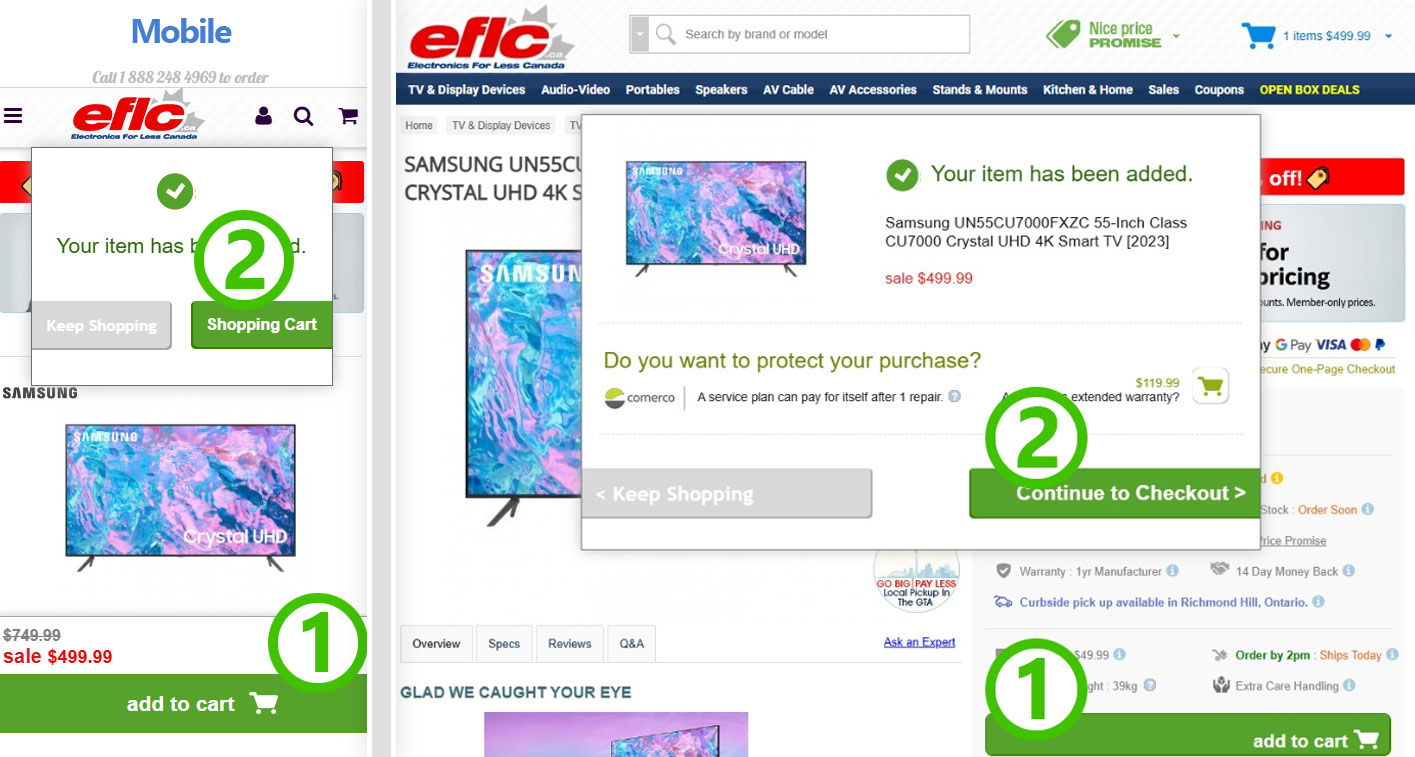
2. Continue to checkout
After adding your item, a confirmation window will appear. To proceed with your purchase, click Continue to Checkout.
Some products may include Added Value items. If applicable, these will appear during checkout.
Added Value Products
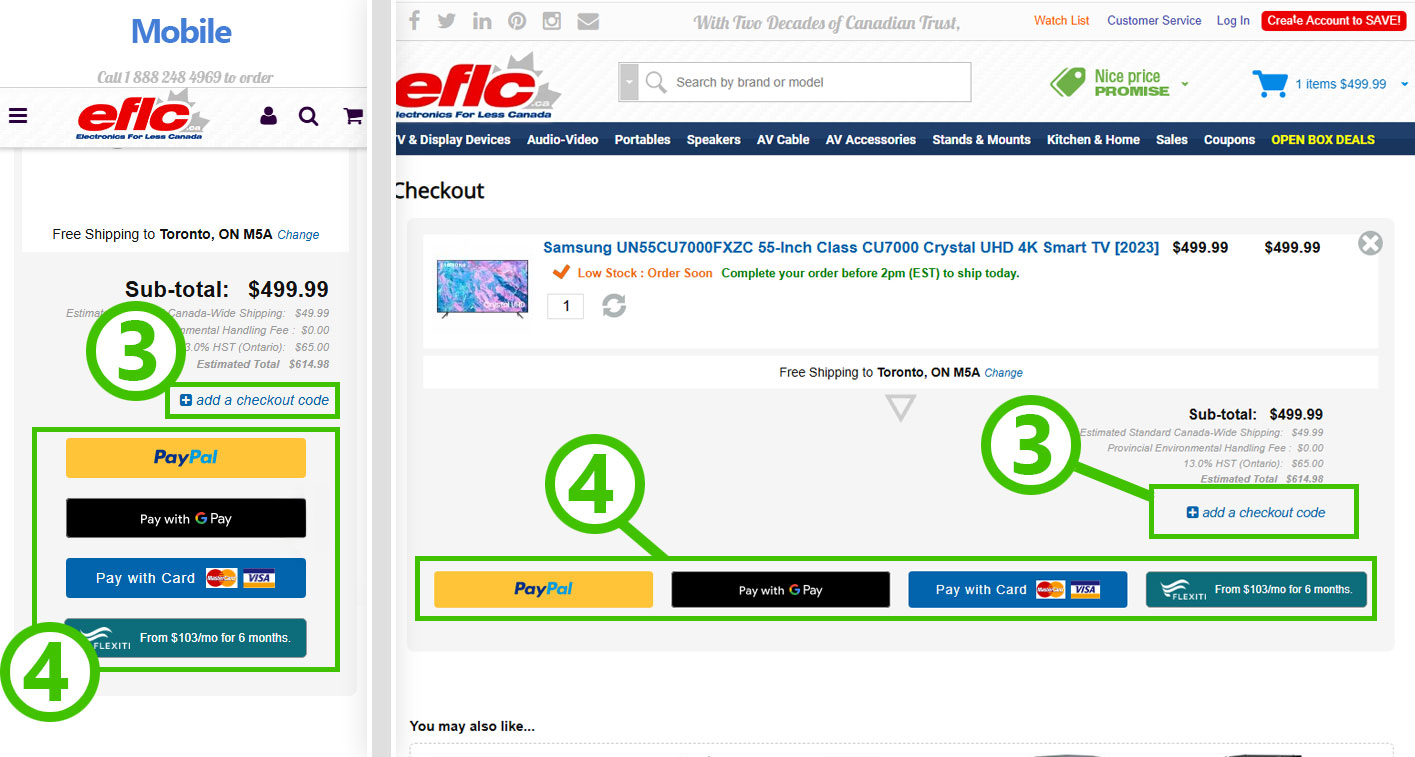
3. Add a checkout code (optional)
On the checkout page, you may see an option to add a checkout code. If you have a promo or coupon code, enter it there to apply the discount.
4. Choose your payment method
Next, select your preferred payment option (for example: PayPal, Google Pay, credit card, financing if available).
Complete payment & order confirmation
After you select your payment method, you’ll be taken to the appropriate payment page where you’ll enter your payment details. Once payment is completed, you’ll be returned to our site and shown an Order Confirmation page. You’ll also receive an order confirmation email with your order details.
Review your cart at any time
If you’d like to keep shopping, click Keep Shopping to continue browsing. You can view your cart at any time by clicking the shopping cart icon at the top-right of the website.