 Log in with PayPal

Electronics For Less Canada Help Desk
Search for help with orders, shipping, tracking, returns, and warranty. Need help with a specific order? Reply to your order confirmation email.
Ordering & Account : Discount Coupons
Checkout Codes / Coupons – How They Work
There are a few different ways checkout codes and coupons work on EFLC.ca. Some appear directly on the product page, others unlock when you're logged in, and you may have also received a checkout code from us by email.
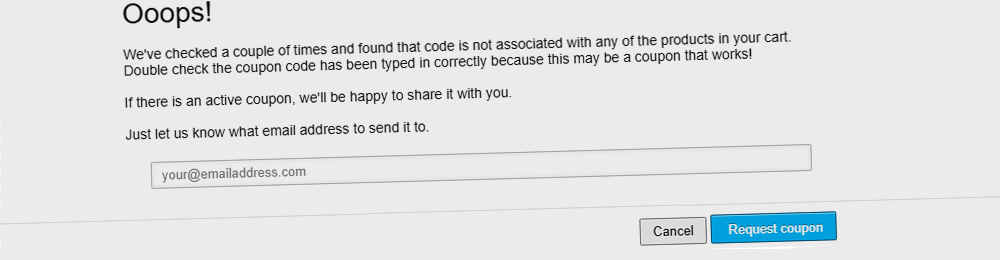
If you can’t find a code or something isn’t working, you can always request a checkout code and we’ll send one if the product qualifies.
Checkout Code & Coupon Rules
- Only one checkout code or coupon may be used per order. Discounts cannot be stacked or combined together.
- Checkout codes and coupons cannot be combined with membership discounts. If your account already receives special member pricing, additional checkout codes will not apply.
- Checkout codes and coupons are not valid on Flexiti financing orders. Financing promotions and checkout code discounts cannot be used at the same time.
- Checkout codes and coupons may not apply to price-matched orders or special quotation carts.
Why Discounts Can’t Be Combined
Many of our offers already include reduced pricing, negotiated deals, or financing incentives. Because these savings are applied in different ways, combining multiple discounts would result in pricing below permitted promotional levels set by manufacturers and financing partners.
Coupons Shown on the Product Page
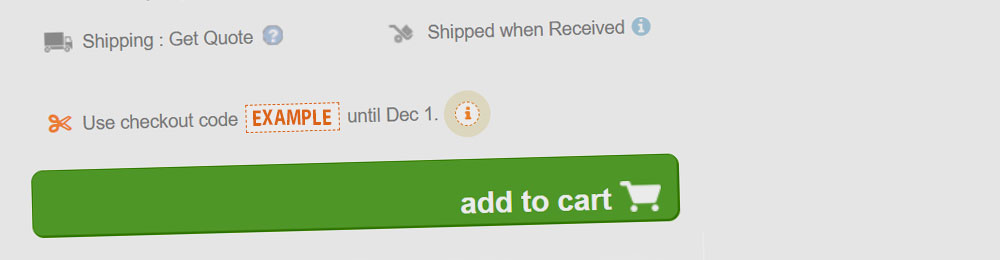
When a product has an active public checkout code, the code is displayed near the price or inside a highlighted promo box.
How to redeem:
- Open the product page and look for the displayed checkout code.
- Copy or note the code exactly as shown.
- Add the item to your cart.
- At the Cart or Checkout page, enter the code in the Coupon Code field.
- Click Apply and confirm the discount appears before payment.
If the code is valid and applies to the items in your cart, the discount will appear immediately.
Tap-to-Apply Checkout Codes
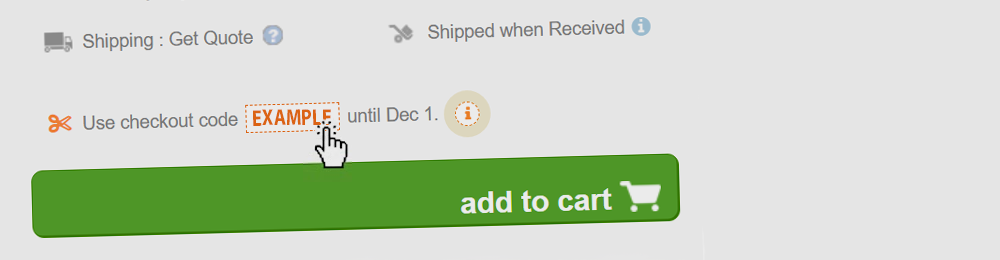
If you see a checkout code on the page, you can also tap or click the offer itself. This automatically adds the product to your cart and applies the checkout code for you.
It may take a few seconds to process. Once you’re taken to the cart, you’ll see the discount line applied automatically to your order total.
Login-Only Discounts (No Code Shown on Page)
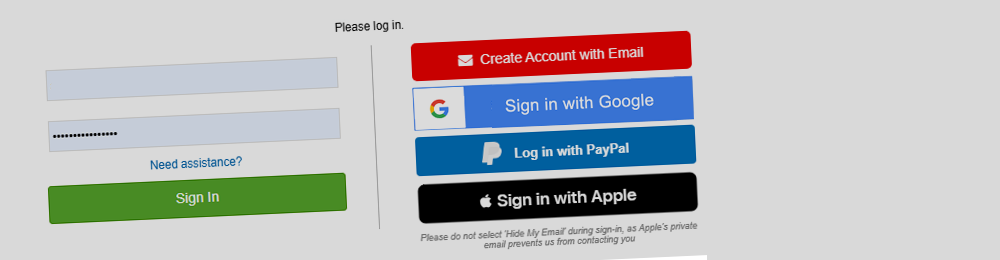
If you don’t see a checkout code displayed on the product page, you may still qualify for a member-only discount.
How these work:
- Log in to your EFLC.ca account. If you don’t have one, create one using your purchase email.
- Return to the product page or refresh it.
- If a member discount exists, a checkout code or member price will automatically appear.
- Add the item to your cart and enter any shown code during checkout, or enjoy the automatic member price already applied.
If nothing appears after logging in, the product is either already at its best price or there is no active promotion for that model.
Where to Enter Checkout Codes
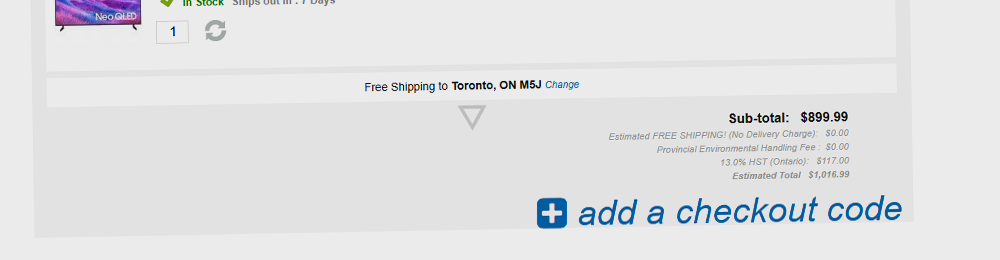
You can enter your checkout code at:
- The Shopping Cart — look for the Coupon Code field below your items.
- Checkout — the same field appears during the first step before payment.
The discount will show as a separate line in your order summary.
Price Match & Special Orders
If your order includes a price match or a custom quotation, the adjusted pricing already reflects your savings. Additional checkout codes or coupons cannot be added to these orders.
Flexiti Financing
Flexiti promotional financing provides its own built-in savings through flexible payment plans. For this reason, checkout codes and coupon discounts are not available when Flexiti is selected as the payment method.
Tips & Common Issues
- Only one checkout code or coupon may be used per order.
- Checkout codes cannot be combined with member pricing or account-based discounts.
- Checkout codes are not available on Flexiti financing orders.
- Price-matched or special quotation carts may not accept additional promotions.
- Some brands or items may be excluded from certain offers.
- Some checkout codes require a minimum purchase amount.
- Expired checkout codes will not apply.
- If no discount appears after logging in, confirm you are using the correct account email.
Having Trouble Applying a Code?
If your checkout code isn’t working, it’s usually because one of the conditions above applies. If you’re unsure, contact us and we’ll review it for you.
Tip: The checkout will always apply the best eligible pricing automatically based on your order type.
Need Help?
If you run into any issues applying a checkout code, contact us before completing your order and we’ll review it for you.